


Buy or sell at a vendor
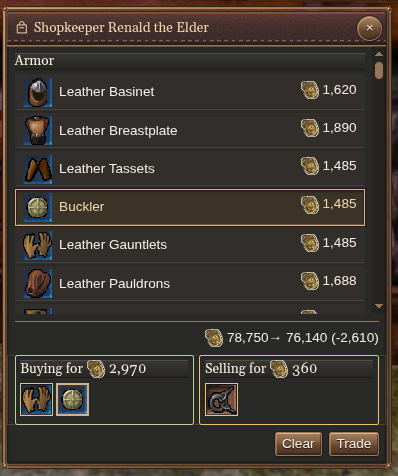
Interact with the vendor to open its shop. Drag stock into the trade queue to buy; drag carried items into the queue to sell.
Equipment in vendor stock is appraised automatically to show cantrip-tier borders. Inspect the item for its spells and requirements before deciding.
Check quantities, available stock, and the projected currency balances. Remove unwanted entries or use Clear to start over. Press Trade when the queue and totals are right.
Wait for the result before preparing another trade. If the price, stock, range or inventory changes, review the updated feedback and adjust your queue.
Trade with another player
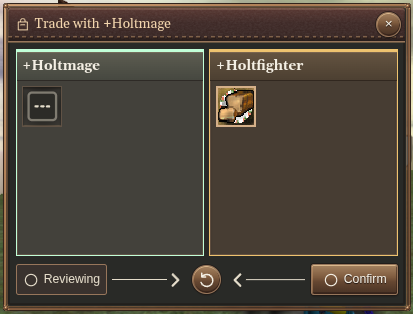
Select the other player and interact to open a trade. Add your items and inspect both offers before confirming.
Equipment in the other player’s offer is also appraised automatically to show cantrip-tier borders.
Use Confirm trade when your side is ready. Both players’ acceptance is shown. Withdraw acceptance lets you take back your confirmation; Reset offers clears both offers.
If either offer changes, check the contents again before accepting. Wait for the completed transfer before leaving the window.
Give a single item
For a direct handoff to a player or NPC, use Give: select the recipient, select the item, then press G.