Cast from your spell bar
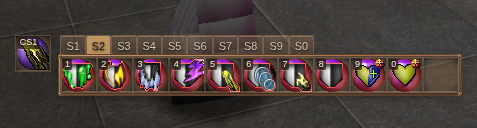
Select a target by clicking it or using Smart Tab; X selects yourself. In magic stance, click a spell or press 1–0 to cast from the displayed tab.
| Default shortcut | Action |
|---|---|
| 1–0 | Cast the corresponding cell; 0 is the tenth. |
| Shift+1–0 | Switch spell tabs. |
| Ctrl+Shift+1 | Cast your wielded caster’s spell. |
If your wielded weapon has a spell, its button appears separately to the left of the bar. Click it or use the wielded-caster shortcut above.
Organize your spell tabs
Drag spells from Spells into cells. Each tab can hold more than ten spells; the first ten keep their numbered shortcuts. Drag a bound spell onto another cell to swap them, or off the bar to remove its binding.
Use the ten tabs to group your regular casts. Drag one tab onto another to swap their entire contents, including overflow spells. The selected tab number stays the same.
For longer tabs, use the scrollbar. While dragging a spell, hold it near either end of the spell row to scroll toward hidden cells.
Spell bindings are saved per character. Customize shortcuts in Settings → Input.
Fit the bar to your HUD
Choose Unlock UI layout to move the bar, switch between one row of ten spells and two rows of five, or drag its left or right edge to resize it. Width snaps one column at a time, revealing more overflow spells without changing icon size. The minimum fits ten spells in the chosen layout, plus the weapon-spell button when present.
The bar keeps its top edge in place when the scrollbar appears or disappears. Its frame follows your theme and surrounds the spell cells and scrollbar, with the tabs above it. Choose Lock UI layout when finished.
Browse your spellbook
The Character shortcut pulses when you learn a new spell.
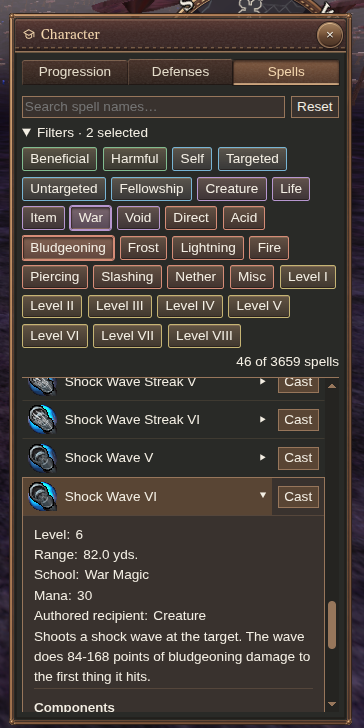
Search by name or combine filters for school, level, damage type and targeting. Select a spell’s name for its description, mana cost, range and components.
Unlike retail, you can cast directly from the list. In magic stance, select your target and press Cast beside a spell—useful for an occasional cast you have not put on a bar.
Cast on the move
Keep moving through spell windups with your normal controls. Reposition without retail’s sliding key combinations.
Supported non-Life projectile spells can also fire forward without a selection. Face where you want to cast; Life spells and other targeted spells still need their normal target.
Read your current effects
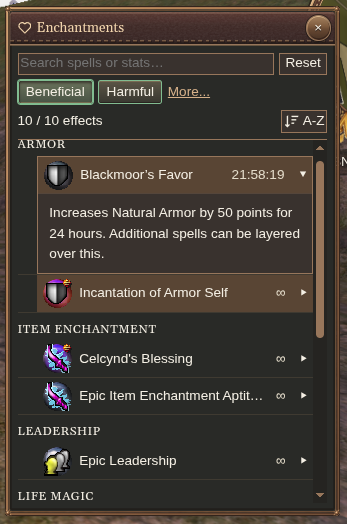
Open Enchantments, or click a buff/debuff tray icon, to inspect active effects grouped by the stats they affect. Vitae appears with harmful effects.
Search by spell or stat name and filter the list. Sort by Name, Power or Duration; duration puts the effects expiring soonest first.