

Find a contract
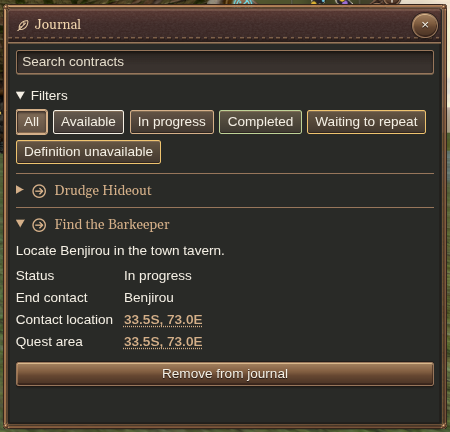
The Journal shortcut pulses when you acquire a new contract. Open Journal and search by contract name. Use the status filters to narrow the list to available, in-progress, completed, or waiting-to-repeat contracts. All clears the status restriction.
Select an entry to read its status, progress and available details. Timed contracts show remaining time; repeatable contracts can show when they become available again.
Plan the trip
Check the contract’s contact location and quest area. Enable Contracts on the world map to see the available contract destinations alongside your other map layers.
Clean up the list
Use Remove from journal on an entry you no longer want to track. If an entry has unresolved or missing information, keep its identifier and status when reporting the problem through Help.