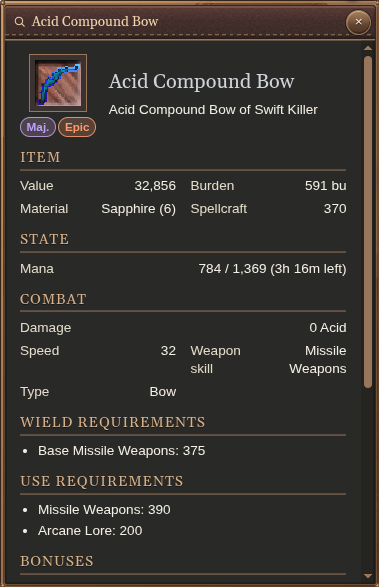
Inspect one thing, select another
Unlike retail, selection and inspection are separate. Open an appraisal to read it, then change targets or keep fighting without replacing what you are inspecting. Examining something else replaces the appraisal.
Select a creature, player or item and press E, or right-click it to select and examine in one step. The magnifying-glass action also opens appraisal. Move and resize the window to keep it comfortably in view.
Turn the model around
Creature and player appraisals include a rotatable 3D model. Drag horizontally across the preview to see it from another angle. You can inspect someone’s appearance without circling them in the world.
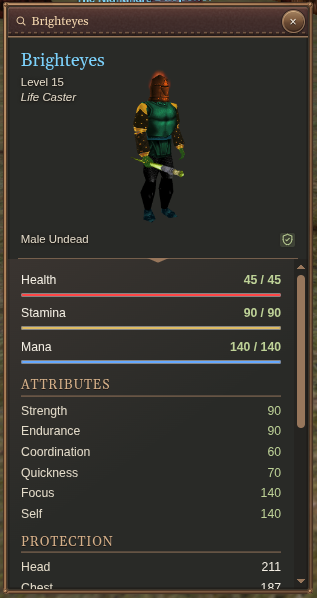
Creatures and players
Check a creature’s level, vitals, attributes and protection when sizing up a fight. Player appraisals also show character and affiliation details. The available information depends on the appraisal result.
Items
Read requirements, combat values, effects, descriptions and inscriptions before equipping, trading or using an item. Apparel shows Covers alongside its armor facts when body coverage is known. Augmentation items show their unspent XP cost and consumption explanation under On use; hover over an abbreviated cost for the exact amount.
Cantrip-tier borders help you spot equipment worth examining. The border represents the highest known tier; inspect the spell details to judge whether the item suits your build.