Find housing
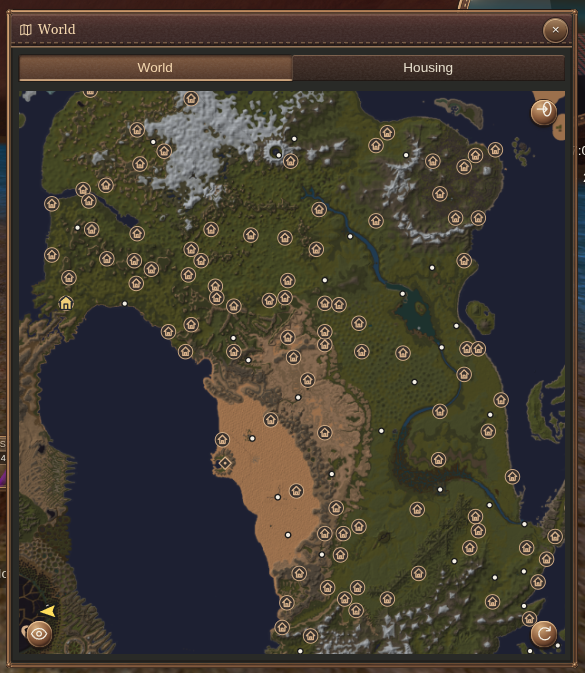
Open World and choose a house type in Map visibility → Housing to search. Inspect the results on the map and use them to plan your visit.
Inspect a house crystal
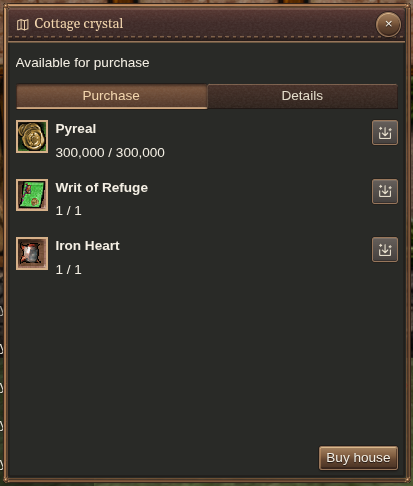
Interact with the house crystal to see ownership, eligibility, and purchase or maintenance requirements.
Prepare the requested items in the payment area. Auto-fill helps choose items you carry for a requirement; review the prepared amounts before submitting the purchase or maintenance payment.
Manage your house
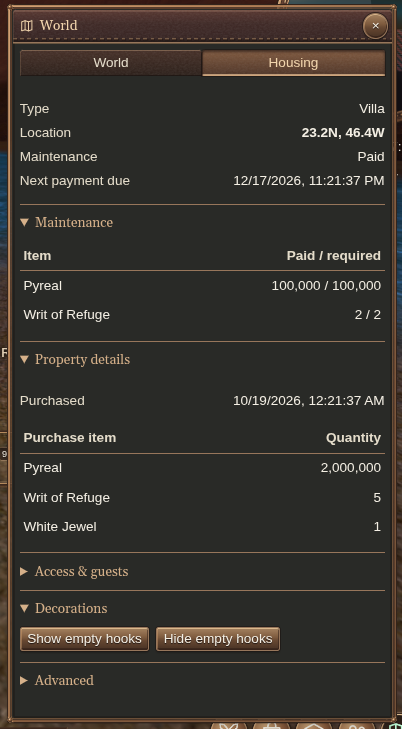
Open World → Housing to check your home’s location, maintenance status, next payment date and property details.
- Access & guests: control public and allegiance access, add or remove guests, and grant entry and storage permissions separately. Booting an occupant does not remove their guest permission.
- Decorations: show or hide empty hooks.
- Advanced: abandon your home.