


Form a party
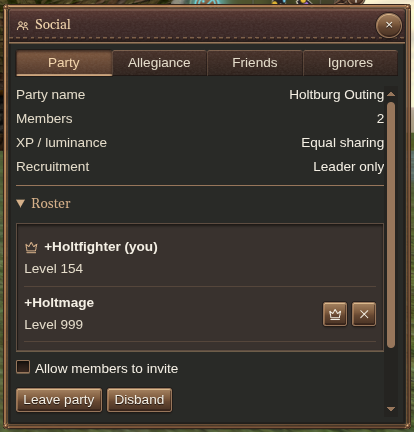
Open Social → Party and choose Create Party. Review the party’s name, XP/luminance arrangement, recruitment settings and roster.
Select a player and choose Invite to party in the selected-target actions. Leaders can manage recruitment, let members invite, dismiss members, or transfer leadership. Members can leave; the leader also has a disband action.
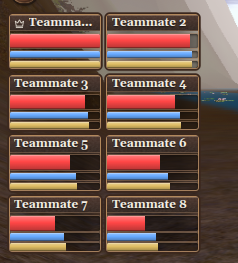
The party HUD keeps teammates’ health, stamina and mana visible while you play. Click a member to select them for a targeted action or spell.
Friends
In Friends, enter a character name and choose Add Friend. Search and the online filter help you find someone when the list is long. Use the Tell action beside a friend to start a message; the remove action takes them off your list.
Allegiance
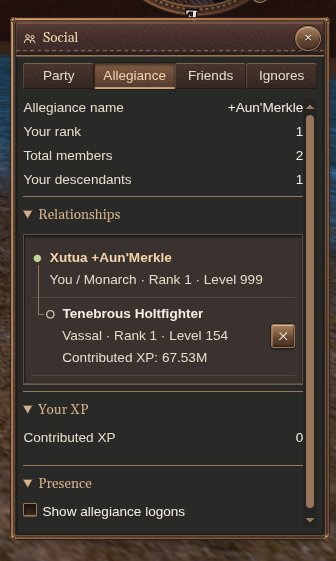
Use Allegiance to inspect your patron, vassals and membership information. Relationship actions let you break from a patron or dismiss a vassal after confirmation; review the named character before confirming. Recall destinations connected to your allegiance appear with the other travel options.
Control interruptions
In Ignores, enter a name and choose Ignore character or Ignore account. Account ignores also cover the target’s other characters. Search the list to remove an ignore later. Under party invitation preferences, Ignore party invitations lets you decline invitations while you are busy.
Use chat filters when you want to reduce message categories rather than ignore a person.
Corpse permissions
Grant a player access to your corpse:
/permit Best FriendRevoke that grant with /unpermit Best Friend.
To manage permissions other people grant you:
| Command | Action |
|---|---|
/consent on / /consent off | Accept or decline incoming grants |
/consent who | List received permissions |
/consent remove PLAYER | Discard one received permission |
/consent clear | Discard all received permissions |