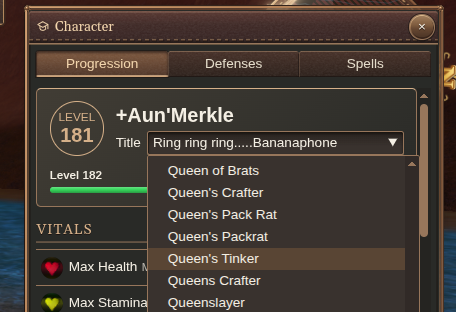
Review your character
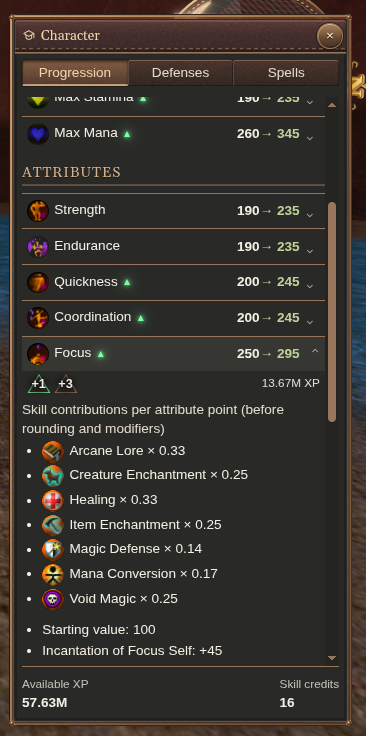
Open the character sheet for attributes, vitals, skills, experience and luminance. Expand a stat for its detail and available improvement actions.
Skill sections distinguish trained and specialized skills. Check the displayed costs before spending experience; an improvement button can purchase immediately. Training a new skill has a separate confirmation.
Improve a stat or train a skill
Choose the improvement beside the stat you want to raise. Read unavailable-action explanations when you cannot buy the next improvement—for example, when you lack the required currency or have reached a cap.
To train a skill, choose Train, review the cost, and confirm. Check the skill’s new state afterward.
Understand defenses
Open Defenses to inspect your character’s innate armor and damage resistances, including active spell effects. Protection from worn armor is separate.
Choose a title
Choose a title your character has earned from the title control.